An interactive NFDI4Culture Data Story
Suspicious Connections
The Daejeon Investigators on the Trail of the Culture Knowledge Graph
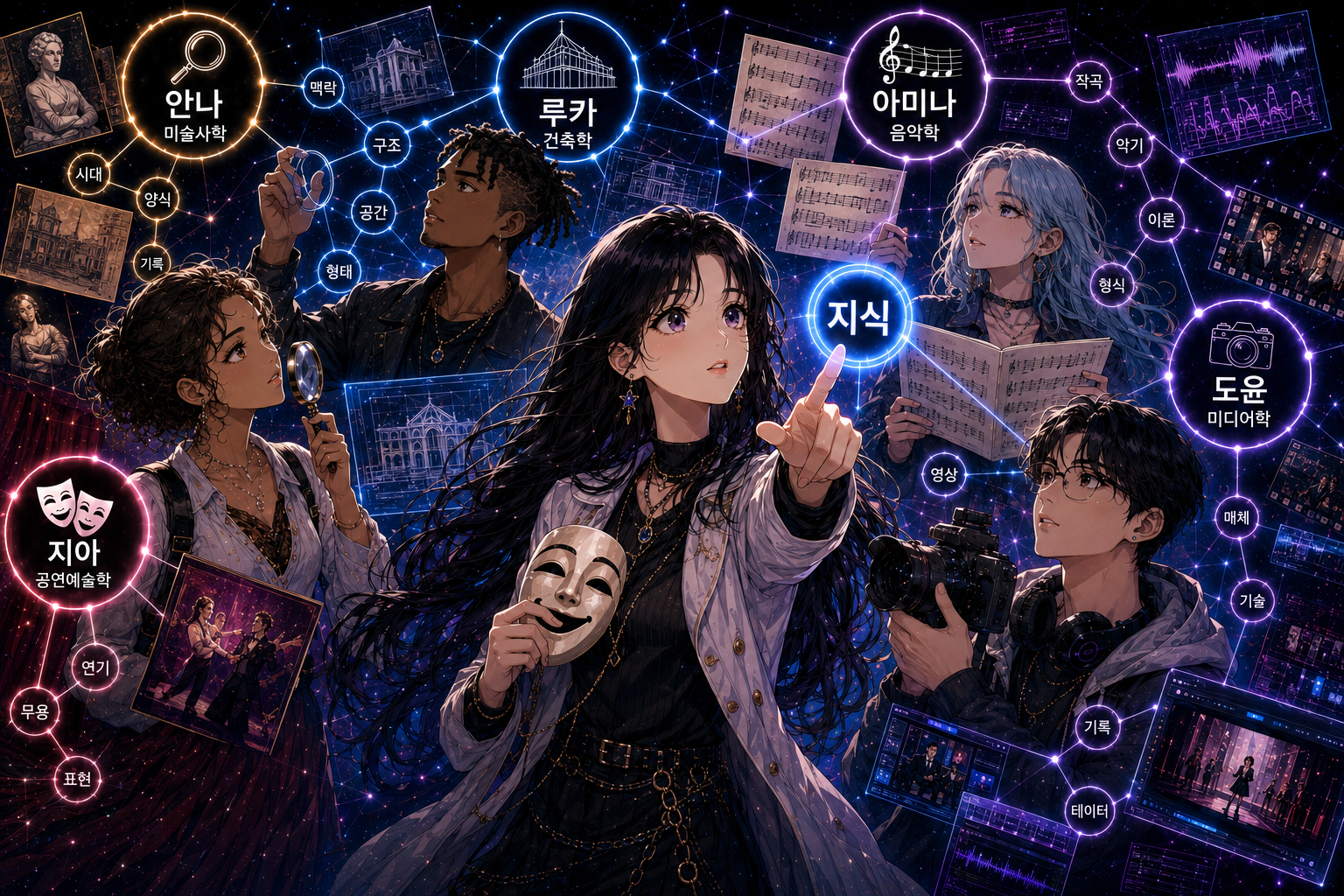
Prompt: A thumbnail image in the Korean manhwa style, featuring five diverse protagonists exploring a knowledge graph. The investigators are Anna (안나) (discipline: art history, attribute: magnifying glass), Luca (루카) (discipline: architecture, attribute: circle), Amina (아미나) (discipline: musicology, attribute: sheet music), Do-yun (도윤) (discipline: media studies, attribute: camera), and Ji-a (지아) (discipline: performing arts, attribute: mask). Ji-a should be positioned prominently in the center of the composition, with the other four investigators arranged around her. Each investigator is surrounded by visual elements representing their discipline and connected through a glowing knowledge graph. All names, discipline labels, and graph annotations should be written in Korean. Created with ChatGPT Images (GPT-5.5)
Five investigators. Five disciplines. One graph, waiting to be explored.
Anna, Luca, Amina, Do-yun and Ji-a have never worked a case together — until now. The Culture Knowledge Graph in front of them is vast, largely uncharted, and full of connections nobody has properly followed yet. Whether any of them are actually suspicious remains to be seen.
They start where every good investigation starts: together, tracing the first threads as a team. But a graph this large doesn't reveal itself all at once. Before long, the group will have to split — each investigator drawn towards the connections that speak to their own field, following leads no one else would have thought to look for. What they find is anyone's guess. Are you ready to join the investigation?
To begin your investigation alongside our five protagonists, open the LODEON data stories editor at https://datastories.nfdi4culture.de/lodeon, download the correponding lodeon.zip file via http://datastories.nfdi4culture.de/story/E6887/E6887.lodeon.zip and import it via the Import button.
Please note: LODEON is an open source tool developed in NFDI4Culture — access the GitHub repo via ... for personal or project use. You can always write a data story on the NFDI4Culture public instance with all functionality (except AI assistance).*
*Interested in creating a story with LODEON? We'd be happy to hear from you—please feel free to get in touch via the NFDI4Culture Helpdesk.
Mission 1: Into the Black Box
Months of preparation had passed faster than anyone expected. Before they knew it, it was the end of July, and the first afternoon of the DH2026 pre-conference workshops had finally arrived. Researchers from around the world were making their way through the Daejeon Convention Center (DCC), coffee cups in hand, looking for the next session. One of the workshop rooms was about to host The Culture Data Story Laboratory: Engaging Knowledge Graphs through Executable Narratives.
"Sorry... could I just get through?" Balancing a coffee in one hand and a laptop in the other, Ji-a slips into the only empty seat in a row that is already beginning to fill. "Thanks. I'm Ji-a," she whispers as she settles into her chair. "Performing Arts." The introductions make their way around the row. "Luca. Architecture." "Anna. Art History." "Hi, Amina. Musicology." Only the participant beside Ji-a waits until he has finished typing before looking up. "Do-yun. Media Studies." Ji-a glances along the row and smiles. "Quite a combination." Before anyone can reply, the workshop begins.
Mission 1: Step together with our investigators into the Culture Knowledge Graph. See how a basic SPARQL query is structured, and how to set up and edit different node types in the LODEON data stories editor, e.g. for Plotly visualizations. Get to know some basics about the NFDIcore and NFDI4Culture Ontology.
The graph doesn't look like much at first. There is a single entry point, a handful of unfamiliar acronyms—NFDI4Culture, SPARQL, CTO, NFDIcore, which they have heard of before—and beyond that, nothing but darkness.
The Culture Knowledge Graph as a black box. Creator: E. Posthumus.
One finger traces the outline of the interface. "It's not empty," Anna says. "We just can't see in yet." Already sketching its boundaries, Luca murmurs, "Every black box has an outside. Ports. Portals. Places where something goes in and something comes out." Amina tilts her head, listening rather than looking. "There's structure in here. You can feel it before you can see it." It's Ji-a who reaches for the entry point first. "Only one way to find out what's inside a black box." She opens it.
Quest 1a: Within the LODEON data stories editor, you can integrate SPARQL Query nodes to run queries to a knowledge graph of your choice.
It's your turn now: Make sure you have selected the Culture Knowledge Graph as a source, then add a SPARQL query node by replacing the [Quest 1a: Triple Count Query] beneath this block: select "SPARQL Query" from "Insert Special" in the panel above. Copy the following query into the SPARQL query node and click run:
SELECT (COUNT(*) AS ?tripleCount) WHERE { ?s ?p ?o }
Afterwards, replace [Quest 1a: number of triples] in the gap text with the number of triples you found.
Hint: Every fact in the graph is stored as a triple — a statement made up of three parts: subject, predicate, and object (?s ?p ?o). Together they describe a single relationship, such as this source item (subject) has related person (predicate) Albrecht Dürer (object). Counting all triples with COUNT(*) therefore tells you how many such statements the entire graph contains.
[Quest 1a: Triple Count Query]
Her eyes widen. "Look — it's not empty at all." Ji-a points at the result. "The graph currently holds [Quest 1a: number of triples] triples." Sceptical as ever, Do-yun cuts in. "Before I trust anything this graph tells us, I want to know where its data actually comes from." Amina listens for a moment, then shakes her head. "That number alone won't tell us the shape of it. We need to learn how to ask before we can hear what's really in there. Everything we need seems to be in this suspicious NFDI4Culture Ontology Documentation."
Amina is already scrolling through the documentation she just pulled up. "Here," she says. "Data portal isn't just a word here — it's a class. It has an ID." She reads it aloud: "NFDI_0000123". Do-yun leans over her shoulder, still sceptical, but curious now. "So if it has an ID, the graph should be able to tell us who actually holds one. So let's put it into a query as the type of what we are looking for."
Quest 1b: The NFDIcore and NFDI4Culture Ontology use alphanumeric IDs to identify classes and properties. The IRI for the class data portal in the NFDIcore is https://nfdi.fiz-karlsruhe.de/ontology/NFDI_0000123. In SPARQL, one can use namespace prefixes instead of always using the full IRI (pattern: namespaceprefix:ID).
It's your turn now: Find the place in the SPARQL node beneath where the namespace prefix for NFDIcore is followed by [data portal ID], then replace [Quest 1b: data portal ID] with the correct alphanumeric ID for data portal you find in the text above.
Hint: Take care that you haven't added an additional space between the namespace prefix and the alphanumeric ID for nfdicore:data portal.
He runs the query. For the first time, his scepticism falters. "Okay," he admits. "Now we're getting somewhere." Anna is already scanning the results. "There are a lot of these," she says. "Too many to look at one by one." She pauses, then adds, "What if we sorted them by discipline first? See which portals actually belong to us — architecture, musicology, media studies, performing arts, art history."
Quest 1c: Besides SPARQL queries, you can also insert visualizations in your data story. LODEON features Plotly visualizations as well as RAWGraphs visualizations. While Plotly visualizations can be added directly via a SPARQL query, RAWGraphs visualizations are created at RAWGraphs.io directly and then integrated as a RAWGraphs project.
It's your turn now: Click the "Run" button of the SPARQL Query node to get an overview of the data portals per academic discipline. In the Plotly visualization node (Quest 1c: Plotly Pie Chart Visualization Data Portals) beneath, select "SPARQL" for DATA and "Pie chart" as CHART. Click run.
Afterwards, replace [Quest 1c: number of art history data portals] and [Quest 1c: number of media studies data portals] in the gap text with the numbers you found.
Hint: You can customise the Plotly visualization via the settings by modifying the JSON accordingly, for example, the colours used. By default, LODEON uses the Okabe-Ito palette, which is suitable for people with colour vision deficiency.
PREFIX fabio: <http://purl.org/spar/fabio/>
PREFIX schema: <http://schema.org/>
PREFIX rdf: <http://www.w3.org/1999/02/22-rdf-syntax-ns#>
PREFIX rdfs: <http://www.w3.org/2000/01/rdf-schema#>
PREFIX nfdicore: <https://nfdi.fiz-karlsruhe.de/ontology/>
PREFIX n4c: <https://nfdi4culture.de/id/>

# How often are which academic disciplines of the N4C domains assigned to data portals in the Culture Information Portal?
# Which are these?
SELECT DISTINCT
?academic_discipline_label
(COUNT (DISTINCT ?culture_iri_data_portal) AS ?data_portal_count)
(GROUP_CONCAT(?data_portal_label; SEPARATOR="*") AS ?data_portals)
WHERE {
    # NFDI4Culture domains: Musicology, Art History, Theatre Studies, Dance Studies, Architecture, Media Studies.
    VALUES ?culture_iri_academic_discipline { n4c:E2314 n4c:E2313 n4c:E2317 n4c:E2316 n4c:E2312 n4c:E2315 }
    ?culture_iri_academic_discipline rdfs:label ?raw_label .

    BIND(
        IF(?culture_iri_academic_discipline IN (n4c:E2316, n4c:E2317),
           "Performing arts",
           ?raw_label)
        AS ?academic_discipline_label
    )

    # a nfdicore:DataPortal
    ?culture_iri_data_portal rdf:type nfdicore:NFDI_0000123 ;
                rdfs:label ?data_portal_label ;
                # nfdicore:has subject area
                nfdicore:NFDI_0000211 ?culture_iri_academic_discipline .

}
GROUP BY ?academic_discipline_label
ORDER BY ?academic_discipline_label
The chart settles into five wedges. A small smile crosses Anna's face — art history takes the largest share, [Quest 1c: number of art history data portals] portals. "Well," she says, "at least someone's paying attention to us." The thinnest sliver catches Do-yun's eye. "Media studies. [Quest 1c: number of media studies data portals]." He says it flatly. "Either we're the smallest field in this graph, or it simply doesn't know where to look for us yet."
Mission 1: Further Exploration with the AI Assistant
Are there also data portals in the graph connected to other subject areas?
- Find out using the AI Assistant with the following prompt:
Give me an overview of data portals grouped by subject area.
- Now activate the "Force tool use!" mode in "Tools" and try writing a SPARQL query with the following prompt:
Write a SPARQL query for data portals grouped by subject area.
- LODEON also supports adding nodes to a story provided by the AI Assistant. This requires the "+ Story Proposal" interaction mode to be enabled in the AI Assistant. Run the following prompt and add it to your story directly with "+ Insert Plotly":
Visualize all data portals grouped by subject area.
It's Ji-a who says what they're all thinking. "Let's stop counting doors. If the graph knows about portals, it should know about the things they hold — individual records. Data feeds and items, not just data portals." She looks round at the others. "Let's find out if they're in here."
Mission 2: Behind the Doors
Nobody moves for a moment. Counting portals was straightforward — clear IDs, clear queries. But feeds and items are a different question altogether, and none of them are quite sure where to start.
The silence doesn't last long. "We've already got a way in," Luca says. "That documentation Amina found earlier — it had more than definitions. There was a diagram in there somewhere." Pulled back up on screen, the documentation reveals more than they'd noticed the first time. A structural overview, all boxes and arrows, mapping out how data feeds and items relate to everything else in the graph.
Mission 2: Step together with our five investigators into the graph, gaining deeper insights into the meaning of data feeds and items, and their basic properties. You will use the visual query builder for SPARQL queries and the AI Assistant in LODEON to analyse how a source item is structured in the NFDI4Culture Ontology.
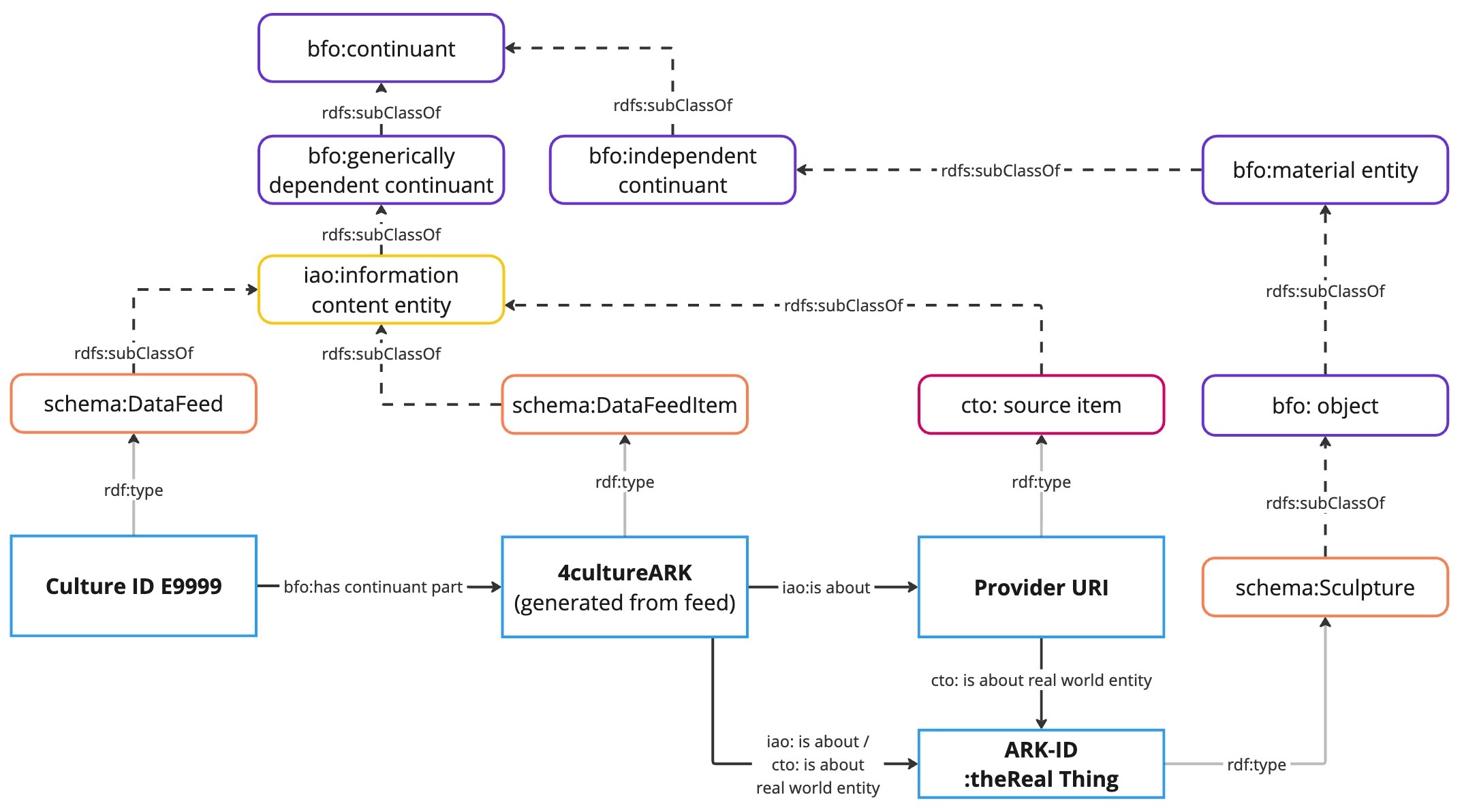
The core structure of the NFDI4Culture Ontology: how feeds and items relate to one another. Source: NFDI4Culture Ontology Documentation.
Studying it closely, Anna speaks first. "So a portal isn't the end of the chain," she says. "It's supposed to have a feed underneath it. And the feed is what actually holds the items." "Supposed to," comes Do-yun's reply, unconvinced. "Doesn't mean it does." He looks round at the others. "Before we go looking at what's inside these feeds, I want to know something simpler first: how many are inside the graph?"
Quest 2a: LODEON offers a Visual Query Builder in the SPARQL query node. This is based on Sparnatural, making it easy to write SPARQL queries without any prior knowledge.
It's your turn now: Choose the Visual Query Builder in the SPARQL Query node beneath. Select "Data Item" as the resource to search for; a "related to" field will appear automatically. In the next step, select "Data Feed" and choose "Any". Click the orange bar and choose "Count" as the aggregation for Data Item. Watch out: make sure the Data Feed is set to visible. Confirm by clicking "Use query". Now click run.
Afterwards, replace [Quest 2a: number of data feeds] in the gap text with the number you found.
Hint: The visual query generates a SPARQL query. It can also help you understand the data in the graph and how SPARQL queries are structured.
The query runs. The rows appear.
Do-yun leans back, arms crossed. "[Quest 2a: number of data feeds]," he says. "Not every portal, then." Less an accusation now than a simple observation. A quick comparison with the earlier portal count confirms it — dozens of data portals, but only some of them currently have a feed integrated into the graph. The numbers themselves vary just as much. At the bottom of the list, one feed holds close to one and a half million. Near the top, another holds barely two hundred and fifty items. "Makes sense, though," Amina says. "A feed can only be as big as what the portal actually holds. Some collections are small. Some clearly aren't." Anna nods slowly. "So the size differences aren't odd at all. They're just... proportional." Ji-a looks at the rows with fresh interest. "Then let's stop asking how many, and start asking what. What's actually sitting inside these feeds?"
Quest 2b: LODEON offers an AI Assistant connectable to different models to make it possible to talk to a graph in natural language.
It's your turn now: Open the panel on the right-hand side. Choose a model of your choice and use the following prompt in the AI assistant to find out more about the structure of a cto:source item:
How is a source item structured in the Culture Knowledge Graphs?
Next, in the gap text, replace [Task 2b: Model] with the name of the model you have chosen and [Task 2b: AI assistant’s answer] with the answer you received from the AI assistant.
Hint: The AI assistant is an experimental feature of the LODEON data story editor. At present, this feature is only available when you are logged in. It may take a while for the AI assistant to respond.
No query this time — just a question, typed straight into the AI assistant. Ji-a waits. Arms crossed, Do-yun watches over her shoulder. "That feels like cheating," he says. "Or just a different kind of asking." Ji-a's eyes stay on the screen. "Let's see what [Quest 2b: Model] says."
[Task 2b: AI assistant’s answer]
Do-yun reads it twice before he says anything. "Huh," he admits. "Something at least." Then, more carefully: "Though I'd still double-check it. Even a good assistant can hallucinate."
Quest 2c: The AI assistant’s responses may vary depending on the selected model and may still contain hallucinations, even though LODEON uses MCP in the background. NFDI4Culture values user feedback and uses it to evaluate and improve the AI assistant during its ongoing development.
It's your turn now: Double-check the AI assistant’s answer by running the following query. Then rate the answer on a scale from 1 (not at all) to 10 (perfect) and replace [Quest 2c: My rating] with your rating in the gap text below.
Hint: Not every source item in the graph contains all possible properties. As a result, the query will not return a value for every potential field. When evaluating the response, focus on whether the AI assistant includes the relevant fields, even if some of them are empty in the query result.
PREFIX rdf: <http://www.w3.org/1999/02/22-rdf-syntax-ns#>
PREFIX rdfs: <http://www.w3.org/2000/01/rdf-schema#>
PREFIX xsd: <http://www.w3.org/2001/XMLSchema#>
PREFIX schema: <http://schema.org/>
PREFIX n4c: <https://nfdi4culture.de/id/>
PREFIX cto: <https://nfdi4culture.de/ontology/>
PREFIX nfdicore: <https://nfdi.fiz-karlsruhe.de/ontology/>

SELECT
    ?sourceItem
    ?label
    ?realWorldEntityType
    ?relatedPerson
    ?relatedOrganization
    ?relatedLocation
    ?relatedEvent
    ?creationDate
    ?approximatePeriod
    ?temporalCoverage
    ?creationPeriod
    ?classifier
    ?identifier
    ?license
    ?mediumLink
WHERE {
    BIND(<https://sah.tib.eu/individual/n7240> as ?sourceItem )
    ?sourceItem rdfs:label ?label .
    # type
    ?sourceItem a ?type .
    # real world entity type
    ?sourceItem cto:CTO_0001025/rdf:type ?realWorldEntityType .
    # cto:has data concept
    ?sourceItem cto:CTO_0001049 ?dataConcept .
    # cto:is referenced in
    ?sourceItem cto:CTO_0001006 ?feed .
    ?feed rdfs:label ?feedLabel .
    # nfdicore:published by
    OPTIONAL { ?sourceItem nfdicore:NFDI_0000191 ?publisher . }
    # cto:has related person/nfdicore:has external identifier
    OPTIONAL { ?sourceItem cto:CTO_0001009/nfdicore:NFDI_0001006 ?relatedPerson . }
    # cto:has related organization/nfdicore:has external identifier
    OPTIONAL { ?sourceItem cto:CTO_0001010/nfdicore:NFDI_0001006 ?relatedOrganization . }
    # cto:has related location/nfdicore:has external identifier
    OPTIONAL { ?sourceItem cto:CTO_0001011/nfdicore:NFDI_0001006 ?relatedLocation . }
    # cto:has related event/nfdicore:has external identifier
    OPTIONAL { ?sourceItem cto:CTO_0001012/nfdicore:NFDI_0001006 ?relatedEvent . }
    # cto:has creation date
    OPTIONAL { ?sourceItem cto:CTO_0001072 ?creationDate . }
    # cto:has approximate period
    OPTIONAL { ?sourceItem cto:CTO_0001071 ?approximatePeriod . }
    # cto:has temporal coverage
    OPTIONAL { ?sourceItem cto:CTO_0001070 ?temporalCoverage . }
    # cto:has creation period
    OPTIONAL { ?sourceItem cto:CTO_0001073 ?creationPeriod . }
    # cto:has external identifier
    OPTIONAL { ?sourceItem nfdicore:NFDI_0001006 ?identifier . }
    # nfdicore:has license
    OPTIONAL { ?sourceItem nfdicore:NFDI_0000142 ?license . }
    # nfdicore:has media type
    OPTIONAL { ?sourceItem nfdicore:NFDI_0000146 ?mediaType . }
    # nfdicore:has standard
    OPTIONAL { ?sourceItem nfdicore:NFDI_0000207 ?dataStandard . }
    # schema:associatedMedia
    OPTIONAL {
        ?sourceItem schema:associatedMedia ?medium .
        # cto:has content url
        ?medium cto:CTO_0001021 ?mediumLink .
        # cto:has license statement
        ?medium cto:CTO_0001007 ?licenseStatementMedium .
    }
} LIMIT 1
The query runs. Do-yun studies the result carefully, comparing it line by line with what the assistant had told them. He doesn't say whether it matches. "Enough to draw our own conclusion," is all he offers. "Which is the point, really." Ji-a turns to the others. "So — on a scale from one to ten, how much would you trust what it told us?"
My rating: [Quest 2c: My rating] / 10
"So that's the real advantage," Anna says at last. "The assistant helps us ask the question. The graph helps us verify the answer." Do-yun gives a small nod. "Trust is easier when you can check."
Mission 2: Further Exploration with the AI Assistant
Can you find out more about the data in the Culture Knowledge Graph using the AI Assistant?
- Open a new tab to talk to the AI Assistant. Enable "Suggest Questions" as the interaction mode and follow the AI Assistant's example questions.
Hint: The initial proposed questions differ. If you open another tab in the AI Assistant, you will probably find other routes to follow.
Mission 3: Five Paths, one Graph
The graph is no longer unfamiliar territory. Each investigator now notices different patterns emerging from the same data—connections shaped by their own discipline, their own questions, and their own curiosity. From here on, every lead points in a different direction.
Several feeds. Five investigators. Five paths through the same graph.
Each investigator chooses a different starting point. Architecture. Art history. Musicology. Media studies. Performing arts. The graph remains the same. Only the questions change.
Mission 3: Follow the investigators on their individual explorations. Below, you find five different paths, each standing for one of the investigators and their discipline, with one data feed as a starting point: Anna (art history), Luca (architecture), Amina (musicology), Do-yun (media studies) and Ji-a (performing arts). The investigators take different routes from here, and different quests have to be fulfilled along the way. Try out one or more of the investigatorts' paths.
3.1. Anna's path: Art history — how to explore dragons with the Graph Explorer Node
3.2. Luca's path: Architecture — how to visualize locations with the Plotly & IIIF Node
3.3. Amina's path: Musicology — how to visualize data with the RawGraphs.io Node
3.4. Do-yun's path: Media studies — how to view 3D models with the Embed Remote Content Node
3.5. Ji-a's path: Performing arts — how to write a data story together with the AI Assistant
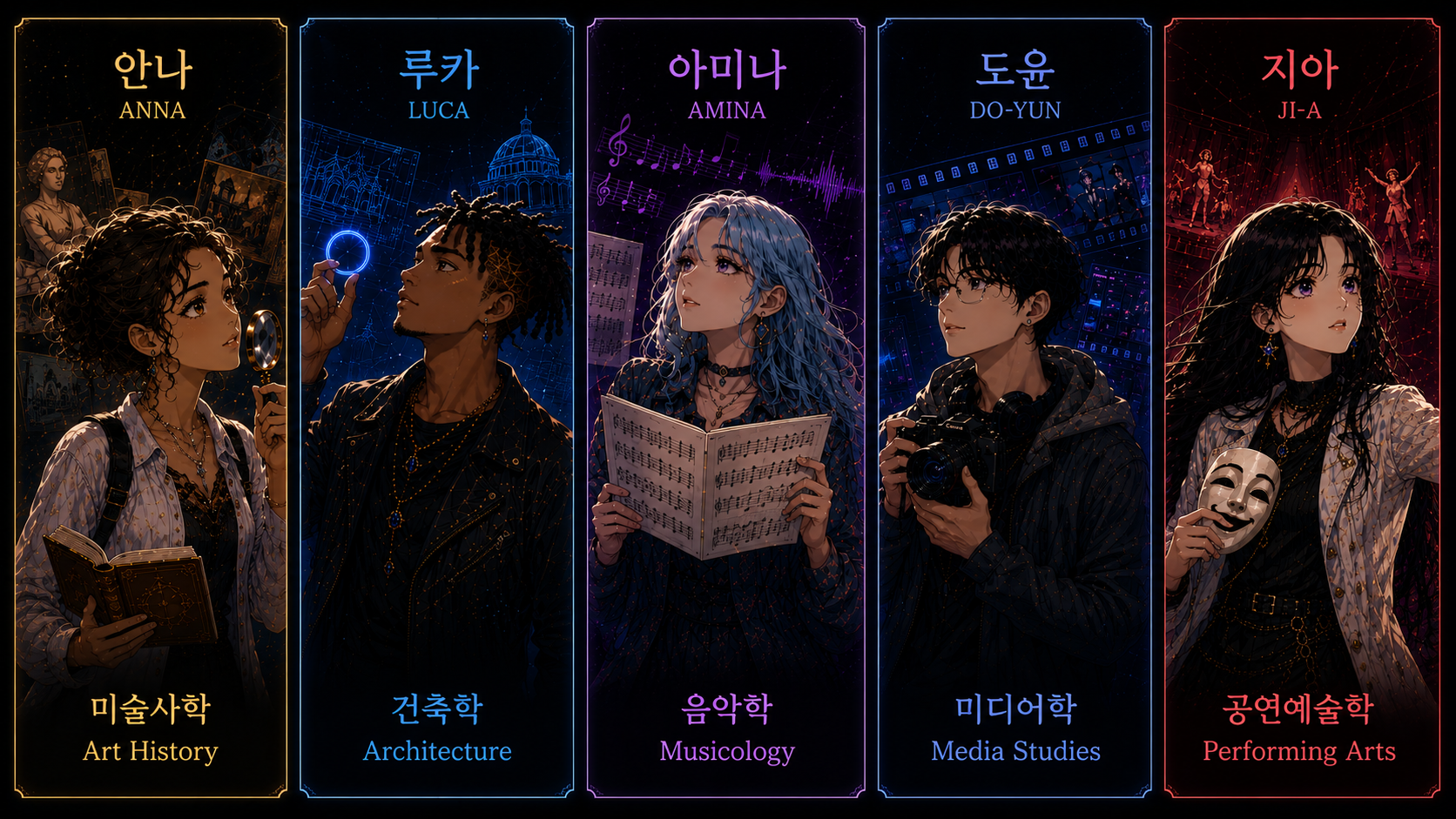
Prompt (longer conversation with story line as basis / in short): Create a cinematic illustration in the style of a modern Korean manhwa, showing the five investigators with their subject areas visually consistent with the previous illustration and use correct Korean labels. Created with ChatGPT Images (GPT-5.5)
3.1. Anna's path: Art history — how to explore dragons with the Graph Explorer Node
Anna's path: In this path, you will explore connections in the Culture Knowledge Graph using the Graph Explorer Node by looking for dragons in the data. Perhaps your way will lead you further — feel free to keep exploring and extend the storyline.
Anna takes the feed of the Corpus Vitrearum Germany as the starting point for her tour through the Culture Knowledge Graph. The feed contains metadata from the Corpus Vitrearum Germany image archive, a data catalogue holding metadata about stained glass windows. While the feed does not contain information on organisations and persons, it does hold references to places and uses Iconclasses to annotate the motifs depicted in the stained glass windows. If you click the run button on the next query you will find out what's inside the feed.
PREFIX xsd: <http://www.w3.org/2001/XMLSchema#>
PREFIX schema: <http://schema.org/>
PREFIX n4c: <https://nfdi4culture.de/id/>
PREFIX cto: <https://nfdi4culture.de/ontology/>
PREFIX nfdicore: <https://nfdi.fiz-karlsruhe.de/ontology/>

SELECT
    (SAMPLE(?label) AS ?name)
    (xsd:integer(COUNT(DISTINCT ?resource)) AS ?items)
    (xsd:integer(COUNT(DISTINCT ?person)) AS ?persons)
    (xsd:integer(COUNT(DISTINCT ?organization)) AS ?organizations)
    (xsd:integer(COUNT(DISTINCT ?location)) AS ?locations)
    (xsd:integer(COUNT(DISTINCT ?event)) AS ?events)
    (xsd:integer(COUNT(DISTINCT ?classifier)) AS ?classifiers)
WHERE {
    n4c:E5308 schema:name ?label .
    # cto:is referenced in
    ?resource cto:CTO_0001006 n4c:E5308 .
    # cto:has related person/nfdicore:has external identifier
    OPTIONAL { ?resource cto:CTO_0001009/nfdicore:NFDI_0001006 ?person . }
    # cto:has related organization/nfdicore:has external identifier
    OPTIONAL { ?resource cto:CTO_0001010/nfdicore:NFDI_0001006 ?organization . }
    # cto:has related location/nfdicore:has external identifier
    OPTIONAL { ?resource cto:CTO_0001011/nfdicore:NFDI_0001006 ?location . }
    # cto:has related event/nfdicore:has external identifier
    OPTIONAL { ?resource cto:CTO_0001012/nfdicore:NFDI_0001006 ?event . }
    # cto:has external classifier
    OPTIONAL { ?resource cto:CTO_0001026 ?classifier . }
}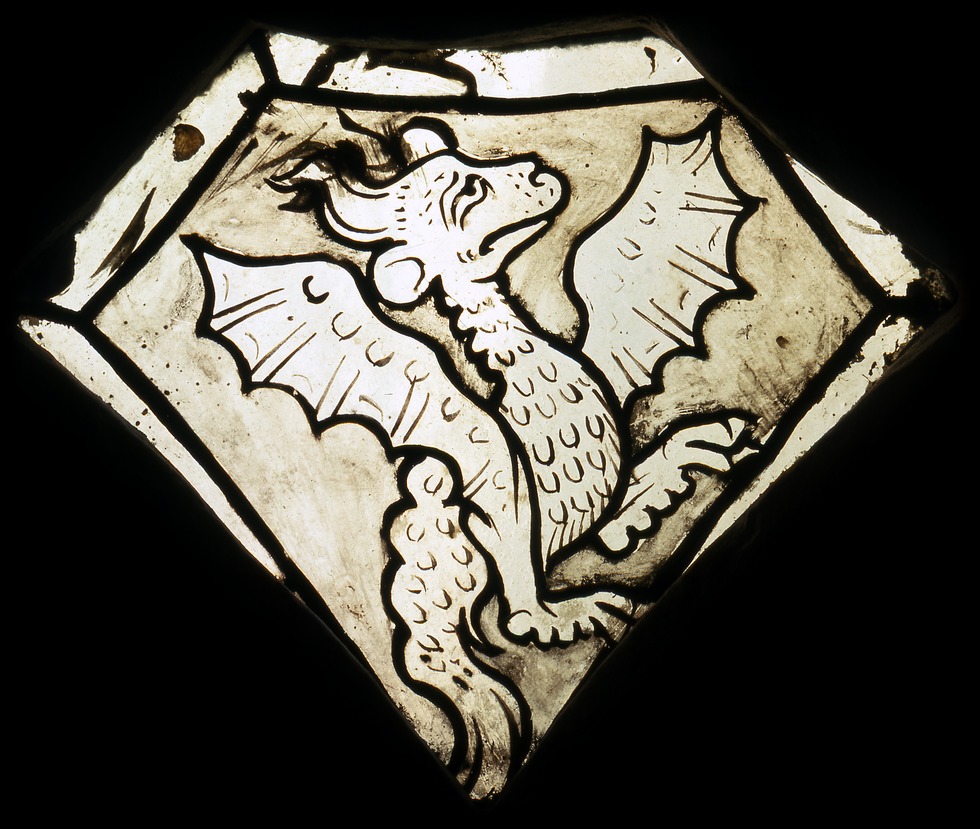
Image: Corpus Vitrearum / J. Jeras, CVMA Freiburg, CC BY-NC 4.0
Quest 3.1: The Culture Knowledge Graph uses QLever as its SPARQL engine. This allows you to perform simple full-text searches. The following query gives you an overview of Iconclasses associated with dragons used in the feed of the Corpus Vitrearum Germany. Click run to see the results.
PREFIX rdf: <http://www.w3.org/1999/02/22-rdf-syntax-ns#>
PREFIX rdfs: <http://www.w3.org/2000/01/rdf-schema#>
PREFIX cto: <https://nfdi4culture.de/ontology/>
PREFIX nfdicore: <https://nfdi.fiz-karlsruhe.de/ontology/>
PREFIX n4c: <https://nfdi4culture.de/id/>

SELECT DISTINCT
      ?iconclass_classifier
      ?classifier_label
      (COUNT(DISTINCT ?source_item) AS ?source_item_count)
      (GROUP_CONCAT(DISTINCT STR(?source_item); SEPARATOR=" * ") AS ?source_items)
      (GROUP_CONCAT(DISTINCT ?source_item_label; SEPARATOR=" * ") AS ?source_item_labels)
WHERE {
      ?text ql:contains-word "dragon" .
      ?text ql:contains-entity ?iconclass_classifier .
      ?iconclass_classifier a cto:CTO_0001030 .
      ?iconclass_classifier rdfs:label ?classifier_label .
      FILTER (lang(?classifier_label) = 'en')
      ?source_item cto:CTO_0001026 ?iconclass_classifier .
      ?source_item cto:CTO_0001006 n4c:E5308 .
      ?source_item rdfs:label ?source_item_label .
}
GROUP BY ?iconclass_classifier ?classifier_label
ORDER BY DESC(?source_item_count)
Quest 3.1: LODEON offers a Graph Explorer Node to explore connections visually by expanding them with a click. Iconclass is widely used in art history to classify motifs in works of art. Can you find other source items that use the Iconclass you identified in the previous query with LODEON's Graph Explorer Node?
It's your turn now: Use one of the Iconclasses from the previous query results and replace [Quest 3.1: Iconclass] with it in the following Graph Explorer Node. Then click "load" to explore wether there are other source items connected to the same Iconclass.
Hint: To load the desired Iconclass code in the Graph Explorer node, enter the whole IRI, e.g. https://iconclass.org/25FF411. The LODEON Graph Explorer node also allows you to load data via a SPARQL query. You can find an example in the node "Alternative Solution 3.1: Iconclass the Archangel Michael fighting the dragon (devil, Satan)".
Mission 3.1: Further Exploration with the AI Assistant
Try to find data associated with dragons using the AI Assistant by starting with the following prompt:
Find data with Iconclass 25FF411 (Dragon).
3.2. Luca's path: Architecture — how to visualize locations with the Plotly & IIIF Node
Luca's path: In this path, you will create visualizations based on the locations and dates associated with datasets about buildings from the Corpus of Baroque Ceiling Paintings. Perhaps your way will lead you further — feel free to keep exploring and extend the storyline.
Luca takes the feed on metadata from the Corpus of Baroque Ceiling Paintings and the feed from the Bibliotheca Hertziana – Fotothek as the starting points for his tour through the Culture Knowledge Graph. The Corpus of Baroque Ceiling Painting in Germany researches and publishes ceiling and wall painting from the period between about 1550 and 1800 in the territory of the Federal Republic of Germany. The Photographic Collection of the Bibliotheca Hertziana owns more than 1,300,000 photographic positives, negatives, transparencies, digital images and digital copies, most of which document Italian art from late antiquity to the present. Both feeds hold information on locations, persons and classifiers. If you click the run buttons on the next queries you will find out what's inside the feeds.
PREFIX xsd: <http://www.w3.org/2001/XMLSchema#>
PREFIX schema: <http://schema.org/>
PREFIX n4c: <https://nfdi4culture.de/id/>
PREFIX cto: <https://nfdi4culture.de/ontology/>
PREFIX nfdicore: <https://nfdi.fiz-karlsruhe.de/ontology/>

SELECT
    (SAMPLE(?label) AS ?name)
    (xsd:integer(COUNT(DISTINCT ?resource)) AS ?items)
    (xsd:integer(COUNT(DISTINCT ?person)) AS ?persons)
    (xsd:integer(COUNT(DISTINCT ?organization)) AS ?organizations)
    (xsd:integer(COUNT(DISTINCT ?location)) AS ?locations)
    (xsd:integer(COUNT(DISTINCT ?event)) AS ?events)
    (xsd:integer(COUNT(DISTINCT ?classifier)) AS ?classifiers)
    (xsd:integer(COUNT(DISTINCT ?creation_period)) AS ?creation_periods)
WHERE {
    n4c:E6077 schema:name ?label .
    # cto:is referenced in
    ?resource cto:CTO_0001006 n4c:E6077 .
    # cto:has related person/nfdicore:has external identifier
    OPTIONAL { ?resource cto:CTO_0001009/nfdicore:NFDI_0001006 ?person . }
    # cto:has related organization/nfdicore:has external identifier
    OPTIONAL { ?resource cto:CTO_0001010/nfdicore:NFDI_0001006 ?organization . }
    # cto:has related location/nfdicore:has external identifier
    OPTIONAL { ?resource cto:CTO_0001011/nfdicore:NFDI_0001006 ?location . }
    # cto:has related event/nfdicore:has external identifier
    OPTIONAL { ?resource cto:CTO_0001012/nfdicore:NFDI_0001006 ?event . }
    # cto:has external classifier
    OPTIONAL { ?resource cto:CTO_0001026 ?classifier . }
    # cto:has creation period
    OPTIONAL { ?resource cto:CTO_0001073 ?creation_period . }
}
PREFIX xsd: <http://www.w3.org/2001/XMLSchema#>
PREFIX schema: <http://schema.org/>
PREFIX n4c: <https://nfdi4culture.de/id/>
PREFIX cto: <https://nfdi4culture.de/ontology/>
PREFIX nfdicore: <https://nfdi.fiz-karlsruhe.de/ontology/>
SELECT
(SAMPLE(?label) AS ?name)
(xsd:integer(COUNT(DISTINCT ?resource)) AS ?items)
(xsd:integer(COUNT(DISTINCT ?person)) AS ?persons)
(xsd:integer(COUNT(DISTINCT ?organization)) AS ?organizations)
(xsd:integer(COUNT(DISTINCT ?location)) AS ?locations)
(xsd:integer(COUNT(DISTINCT ?event)) AS ?events)
(xsd:integer(COUNT(DISTINCT ?classifier)) AS ?classifiers)
(xsd:integer(COUNT(DISTINCT ?creation_period)) AS ?creation_periods)
WHERE {
n4c:E6064 schema:name ?label .
# cto:is referenced in
?resource cto:CTO_0001006 n4c:E6064 .
# cto:has related person/nfdicore:has external identifier
OPTIONAL { ?resource cto:CTO_0001009/nfdicore:NFDI_0001006 ?person . }
# cto:has related organization/nfdicore:has external identifier
OPTIONAL { ?resource cto:CTO_0001010/nfdicore:NFDI_0001006 ?organization . }
# cto:has related location/nfdicore:has external identifier
OPTIONAL { ?resource cto:CTO_0001011/nfdicore:NFDI_0001006 ?location . }
# cto:has related event/nfdicore:has external identifier
OPTIONAL { ?resource cto:CTO_0001012/nfdicore:NFDI_0001006 ?event . }
# cto:has external classifier
OPTIONAL { ?resource cto:CTO_0001026 ?classifier . }
# cto:has creation period
OPTIONAL { ?resource cto:CTO_0001073 ?creation_period . }
}Quest 3.2a: With the IIIF node of LODEON, one can load IIIF manifests into a data story either by entering direct URLs or by using a SPARQL query as the resource.
It's your turn now: select "Direct URL" as the source and "Gallery" as the "view" in the following IIIF node. Afterwards, copy in the following URLs:
https://iiif.nfdi4culture.net/iiif/2/7dd9785b20c38111c55bf4e338abf7b9220f0163.jpg/info.json

https://iiif.nfdi4culture.net/iiif/2/8605b14ff1447186a6fcff53e84b5f00baa423d6.jpg/info.json

https://iiif.nfdi4culture.net/iiif/2/2f0aaa55ef0d89775e4277f51e93833e2724c404.jpg/info.json

https://iiif.nfdi4culture.net/iiif/2/08ba998202573a294a0bb4882c340bb08ee4c4d2.jpg/info.json

https://iiif.nfdi4culture.net/iiif/2/7b22c9246f9afb86e09fc9cbfbcf4dac70f4670b.jpg/info.json

https://iiif.nfdi4culture.net/iiif/2/492a54846b247117b76528c0e6102a6ddafcc5e0.jpg/info.json

Can you find a dragon in the ceiling paintings?
Quest 3.2b: Can you also find dragons in the feed of the Bibliotheca Hertziana?
It's your turn now: Select "SPARQL result" this time as the source. Switch the view to "Gallery" and replace [Quest 3.2b:Iconclass Dragons] with <https://iconclass.org/25FF411> in the following query. Afterwards, click "load".
Quest 3.2c: With the Plotly node, you can also visualize data on a map.
It's your turn now: change the settings in the following Plotly node so that it fits the content and aim. Afterwards, click "run" to create the desired visualization of buildings on a map.
Hint: LODEON will also feature these visualizations via a special Leaflet Node in the future.
Mission 3.2: Further Exploration with the AI Assistant
Can you also find historical landmarks or buildings with the AI Assistant? Try the following prompt:
Find things in the KG that are historical landmarks or buildings.
3.3. Amina's path: Musicology — how to visualize data with the RawGraphs.io Node
Amina's path: In this path, you will explore how to embed musical sources with the Verovio Node. Perhaps your way will lead you further — feel free to keep exploring and extend the storyline.
Amina takes the feed from RISM Online as the starting point for her tour through the Culture Knowledge Graph. The feed contains metadata on musical sources from RISM Online, a service by RISM Digital that provides access to the musical sources of the Répertoire International des Sources Musicales. It is the largest feed in the graph and holds information on, among other things, incipits, persons and organisations. If you click the run button on the next query you will find out what's inside the feed.
PREFIX xsd: <http://www.w3.org/2001/XMLSchema#>
PREFIX schema: <http://schema.org/>
PREFIX n4c: <https://nfdi4culture.de/id/>
PREFIX cto: <https://nfdi4culture.de/ontology/>
PREFIX nfdicore: <https://nfdi.fiz-karlsruhe.de/ontology/>

SELECT
    (SAMPLE(?label) AS ?name)
    (xsd:integer(COUNT(DISTINCT ?resource)) AS ?items)
    (xsd:integer(COUNT(DISTINCT ?person)) AS ?persons)
    (xsd:integer(COUNT(DISTINCT ?organization)) AS ?organizations)
    (xsd:integer(COUNT(DISTINCT ?location)) AS ?locations)
    (xsd:integer(COUNT(DISTINCT ?event)) AS ?events)
    (xsd:integer(COUNT(DISTINCT ?classifier)) AS ?classifiers)
WHERE {
    n4c:E5313 schema:name ?label .
    # cto:is referenced in
    ?resource cto:CTO_0001006 n4c:E5313 .
    # cto:has related person/nfdicore:has external identifier
    OPTIONAL { ?resource cto:CTO_0001009/nfdicore:NFDI_0001006 ?person . }
    # cto:has related organization/nfdicore:has external identifier
    OPTIONAL { ?resource cto:CTO_0001010/nfdicore:NFDI_0001006 ?organization . }
    # cto:has related location/nfdicore:has external identifier
    OPTIONAL { ?resource cto:CTO_0001011/nfdicore:NFDI_0001006 ?location . }
    # cto:has related event/nfdicore:has external identifier
    OPTIONAL { ?resource cto:CTO_0001012/nfdicore:NFDI_0001006 ?event . }
    # cto:has external classifier
    OPTIONAL { ?resource cto:CTO_0001026 ?classifier . }
}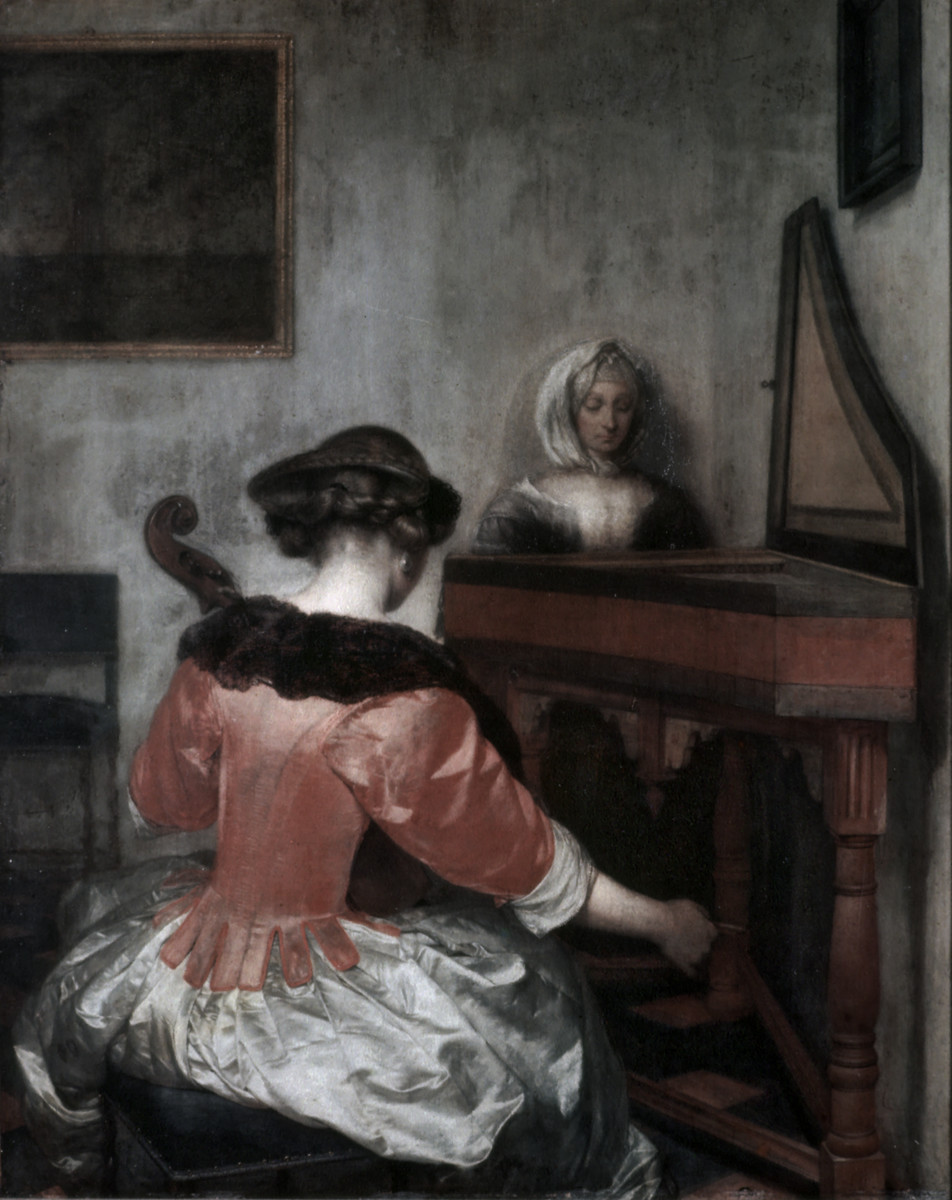
Bildarchiv Foto Marburg / Foto: unbekannt; Aufn.-Datum: 1950/1970 Zugang: 1946, Fotokonvolut: Conzett und Huber Verlag Public Domain Mark 1.0
Quest 3.3: Besides Plotly visualizations, LODEON also offers a Raw Graph Visualization node. Can you visualize musical sources from RISM Online related to Ludwig van Beethoven's late period (1812–1827)?
It's your turn now: Download RISM-Beethoven-late-period-musical-sources-count.rawgraphs. Go to https://app.rawgraphs.io/ and load the data via "Upload your project". In RawGraphs.io you can change, e.g., the dimensions and colours of the visualization. Afterwards, download the adapted project again from RawGraphs.io, set a LODEON RawGraphs Visualization Node below and upload your adapted RISM-Beethoven-late-period-musical-sources-count.rawgraphs as project.
Mission 3.3: Further Exploration with the AI Assistant
Can you also find data about Beethoven with the AI Assistant? Try the following prompt:
Find data about Beethoven.
3.4. Do-yun's path: Media studies — how to view 3D models with the Embed Remote Content Node
Do-yun's path: In this path, you will embed 3D models of Semantic Kompakkt with the Embed Remote Content Node into the story. Perhaps your way will lead you further — feel free to keep exploring and extend the storyline.
Do-yun takes a feed on 3D models as the starting point for his tour through the Culture Knowledge Graph. The feed is from Semantic Kompakkt, a free and open source toolchain for viewing and annotating 3D models and other visual media within a linked open data (LOD) environment based on Wikibase and Kompakkt. Click the run button on the next query to find out what's inside the feed.
PREFIX xsd: <http://www.w3.org/2001/XMLSchema#>
PREFIX schema: <http://schema.org/>
PREFIX n4c: <https://nfdi4culture.de/id/>
PREFIX cto: <https://nfdi4culture.de/ontology/>
PREFIX nfdicore: <https://nfdi.fiz-karlsruhe.de/ontology/>

SELECT
    (SAMPLE(?label) AS ?name)
    (xsd:integer(COUNT(DISTINCT ?resource)) AS ?items)
    (xsd:integer(COUNT(DISTINCT ?person)) AS ?persons)
    (xsd:integer(COUNT(DISTINCT ?organization)) AS ?organizations)
    (xsd:integer(COUNT(DISTINCT ?location)) AS ?locations)
    (xsd:integer(COUNT(DISTINCT ?event)) AS ?events)
    (xsd:integer(COUNT(DISTINCT ?classifier)) AS ?classifiers)
WHERE {
    n4c:E6078 schema:name ?label .
    # cto:is referenced in
    ?resource cto:CTO_0001006 n4c:E6078 .
    # cto:has related person/nfdicore:has external identifier
    OPTIONAL { ?resource cto:CTO_0001009/nfdicore:NFDI_0001006 ?person . }
    # cto:has related organization/nfdicore:has external identifier
    OPTIONAL { ?resource cto:CTO_0001010/nfdicore:NFDI_0001006 ?organization . }
    # cto:has related location/nfdicore:has external identifier
    OPTIONAL { ?resource cto:CTO_0001011/nfdicore:NFDI_0001006 ?location . }
    # cto:has related event/nfdicore:has external identifier
    OPTIONAL { ?resource cto:CTO_0001012/nfdicore:NFDI_0001006 ?event . }
    # cto:has external classifier
    OPTIONAL { ?resource cto:CTO_0001026 ?classifier . }
}
Quest 3.4: LODEON offers an Embed Remote Content Node, with which you can embed remote content via an iframe, such as videos or 3D models shown in the Kompakkt viewer.
It's your turn now: Run the following query to get an overview of 3D models provided by Semantic Kompakkt. Copy one of the embedUrls from the query into the embed node of this quest and click Load.
Hint: If you want to see an aircraft flying, take https://semantic-kompakkt.de/viewer/index.html?entity=66c457089823dcef2adc56df&mode=open. You can also search for URLs to embed within the results of the SPARQL query.
PREFIX rdfs: <http://www.w3.org/2000/01/rdf-schema#>
PREFIX schema: <http://schema.org/>
PREFIX nfdicore: <https://nfdi.fiz-karlsruhe.de/ontology/>
PREFIX cto: <https://nfdi4culture.de/ontology/>
PREFIX n4c: <https://nfdi4culture.de/id/>

SELECT DISTINCT ?source_item ?source_item_label ?kompakktId ?embedUrl
WHERE {
  # cto:is referenced in
  ?source_item cto:CTO_0001006 n4c:E6078 .
  ?source_item rdfs:label ?source_item_label .
  BIND(REPLACE(STR(?source_item), "^.*/", "") AS ?kompakktId)
  BIND(IRI(CONCAT("https://semantic-kompakkt.de/viewer/index.html?entity=", ?kompakktId, "&mode=open")) AS ?embedUrl)
}
3.5. Ji-a's path: Performing arts — how to write a data story together with the AI Assistant
Ji-a's path: In this path, you will use the Story Proposal Node of the AI Assistant o start writing a data story about the musical performances of Christoph Willibald Glucks opera Alceste. Perhaps your way will lead you further — feel free to keep exploring and extend the storyline.
Ji-a takes a feed on musical performance events as the starting point for her tour through the Culture Knowledge Graph. The feed is from musiconn.performance, a data catalogue containing records of musical performances as well as the sources documenting them, contributed by partners from concert halls, memory institutions, and research. Click the run button on the next query to find out what's inside the feed.
PREFIX xsd: <http://www.w3.org/2001/XMLSchema#>
PREFIX schema: <http://schema.org/>
PREFIX n4c: <https://nfdi4culture.de/id/>
PREFIX cto: <https://nfdi4culture.de/ontology/>
PREFIX nfdicore: <https://nfdi.fiz-karlsruhe.de/ontology/>

SELECT
    (SAMPLE(?label) AS ?name)
    (xsd:integer(COUNT(DISTINCT ?resource)) AS ?items)
    (xsd:integer(COUNT(DISTINCT ?person)) AS ?persons)
    (xsd:integer(COUNT(DISTINCT ?organization)) AS ?organizations)
    (xsd:integer(COUNT(DISTINCT ?location)) AS ?locations)
    (xsd:integer(COUNT(DISTINCT ?event)) AS ?events)
    (xsd:integer(COUNT(DISTINCT ?classifier)) AS ?classifiers)
WHERE {
    n4c:E5320 schema:name ?label .
    # cto:is referenced in
    ?resource cto:CTO_0001006 n4c:E5320 .
    # cto:has related person/nfdicore:has external identifier
    OPTIONAL { ?resource cto:CTO_0001009/nfdicore:NFDI_0001006 ?person . }
    # cto:has related organization/nfdicore:has external identifier
    OPTIONAL { ?resource cto:CTO_0001010/nfdicore:NFDI_0001006 ?organization . }
    # cto:has related location/nfdicore:has external identifier
    OPTIONAL { ?resource cto:CTO_0001011/nfdicore:NFDI_0001006 ?location . }
    # cto:has related event/nfdicore:has external identifier
    OPTIONAL { ?resource cto:CTO_0001012/nfdicore:NFDI_0001006 ?event . }
    # cto:has external classifier
    OPTIONAL { ?resource cto:CTO_0001026 ?classifier . }
}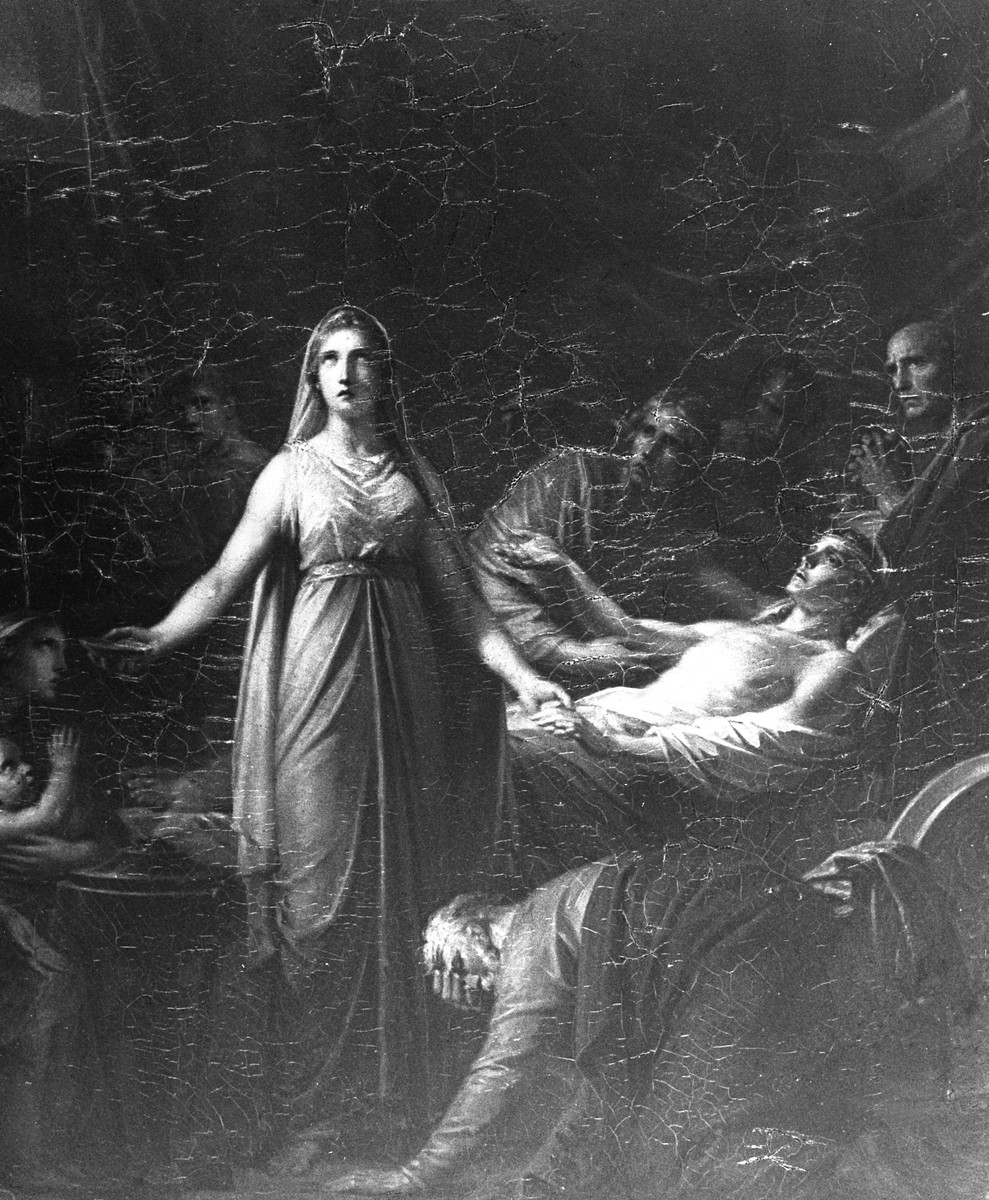
Bildarchiv Foto Marburg / Foto: unbekannt; Aufn.-Datum: um 1895/1920?; Fotokonvolut: Archiv Dr. Franz Stoedtner Public Domain Mark 1.0
Quest 3.5: LODEON features writing data stories together with the AI Assistant. Enable "+ Story Proposal" in the Interactions panel. Afterwards, start your data story with the following prompt and insert via "+ Insert" the result underneath:
Please provide a story proposal on the musical performance Alceste.
4. Missions completed — Back together
"Dragons," Anna says. "In stained glass, more than I expected." A map now shows Luca's historical buildings. Amina brings musical sources, more than she'd first found. Do-yun has 3D models — something to actually look at. And the graph simply answered when Ji-a asked.
Five paths, five different things to bring back.
Mission completed: Thank you for joining our five investigators on their journey through the Culture Knowledge Graph.
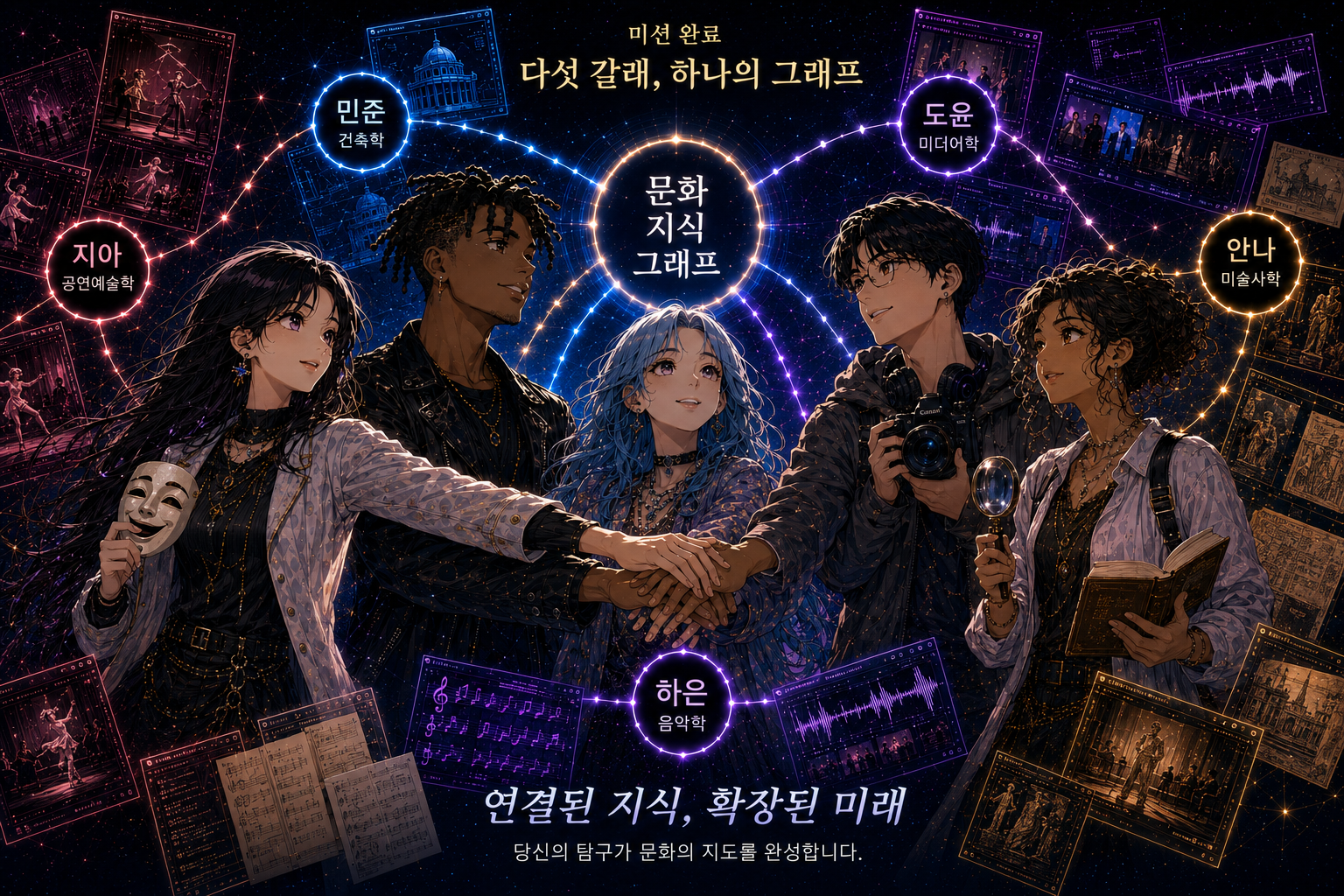
Prompt (longer / in short): Create a Korean manhwa-style illustration of the five investigators reuniting after completing their missions around a glowing Culture Knowledge Graph. They celebrate by placing their hands together, symbolising collaboration, discovery, and connected knowledge. Use correct Korean labels. Created with ChatGPT Images (GPT-5.5)